

YOUR TRAINING. ON YOUR PHONE.
YOU TRAIN.
DOJO HUB
KEEPS TRACK.
Book your classes, check in when you arrive and keep the family’s training together. Start here, then open the app.
01 / YOUR FIRST WEEK
FOUR DAYS.
FOUR CLASSES.
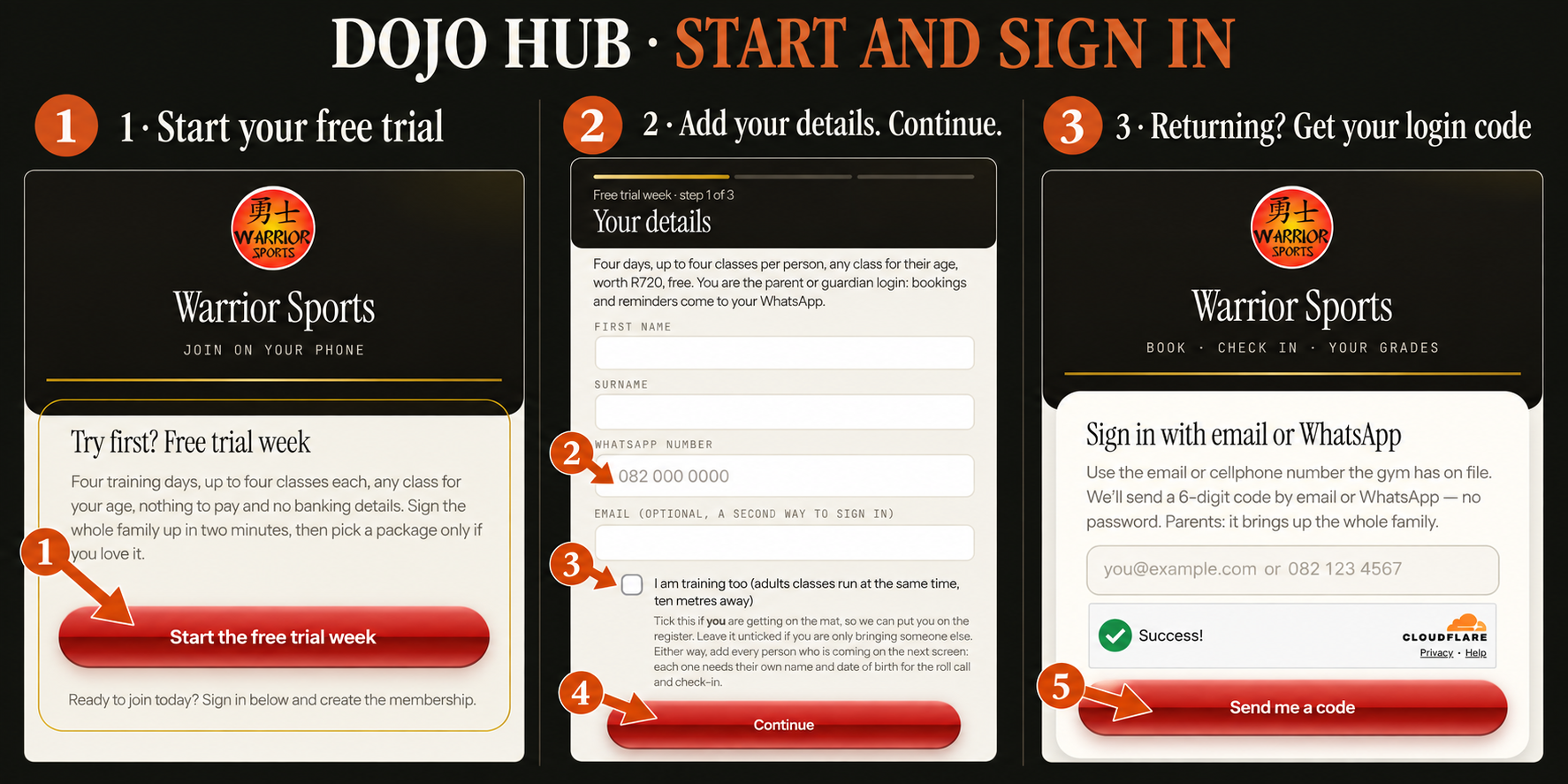
- Open Free trial week and enter your contact details. Parents and guardians use their own WhatsApp number.
- Add every person who will train, with their name and date of birth. If you are training too, include yourself.
- Read and complete the waiver in Dojo Hub, then sign in and book your first class.
Your first booked class starts the trial window. You have a maximum of four classes across four training days within one trial week. Trial classes run Monday–Thursday, plus Friday morning FitFight Fusion at 05:00 and Functional Fitness at 06:00. No Friday evening or martial arts classes. Saturdays are not for trials. You cannot book one class each week for four weeks.
Dojo Hub shows the exact dates and each person’s remaining allowance. Saturdays and closure dates are not trial days. A waiting-list place is not a confirmed booking.
02 / PASSWORDLESS SIGN-IN
A CODE.
AND YOU’RE IN.
- Open checkin.warriorsports.co.za.
- Enter the email address or WhatsApp number the gym has on file. Trial members use the details supplied at registration.
- Tap Send me a code. Enter the six-digit code sent by email or WhatsApp.
There is no password to remember. If the code does not arrive, check that the number or email matches your gym record, check your email spam folder and contact reception if you still need help.
03 / ONE HOUSEHOLD LOGIN
THE RIGHT PERSON.
THE RIGHT CLASS.
Use the family selector at the top of the app to choose yourself or a child before booking. The app shows the sessions and allowance for the selected person.
If you are the guardian but are not training, switch to the child’s profile to book their class. If someone is missing from the household, ask reception to check the family connection.
04 / RESERVE YOUR PLACE
CHOOSE YOUR DAY.
BOOK YOUR CLASS.
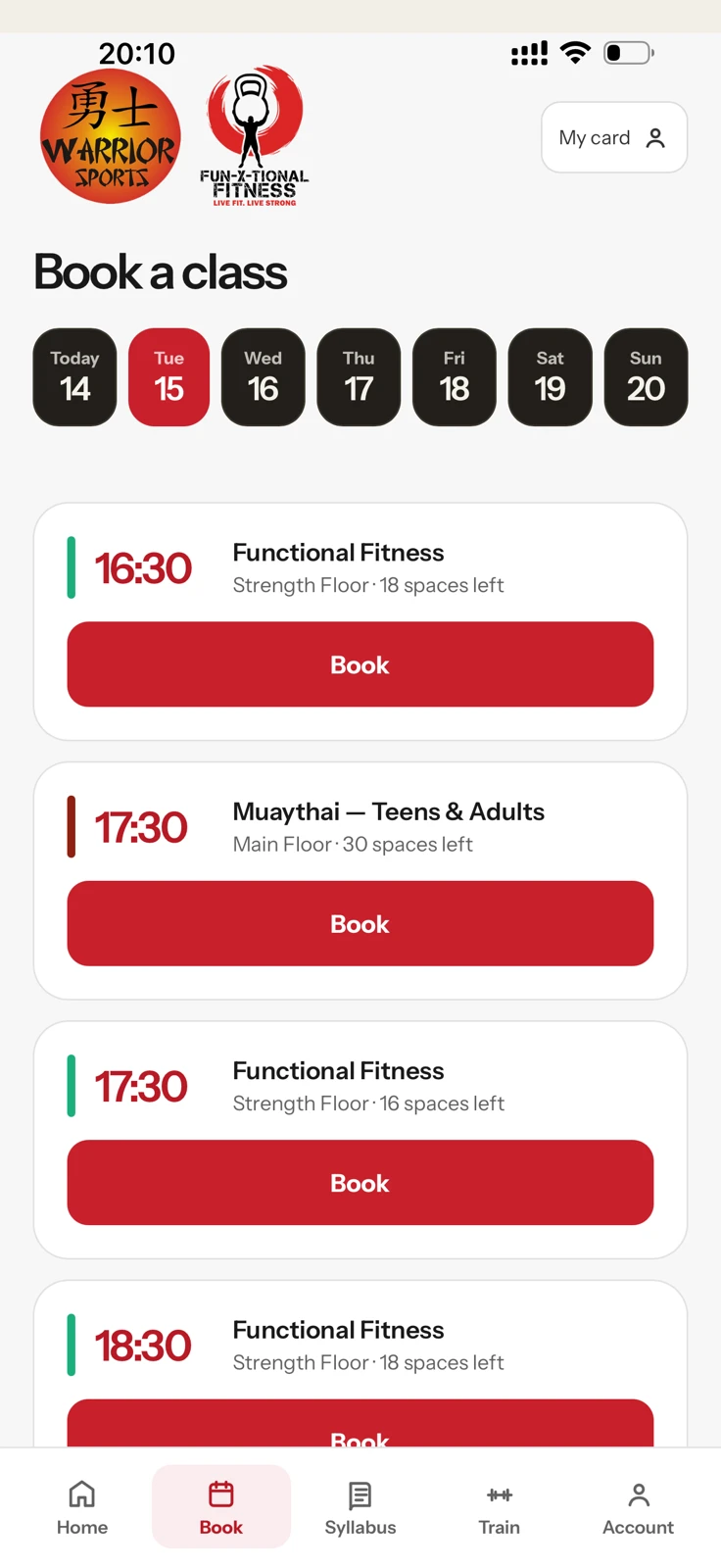
- Select the person who is training.
- Open Book in the bottom navigation.
- Choose a day, check the class name and time, then tap Book.
- Look for the Booked confirmation on the class card.
Trial members see age-appropriate sessions within their four-day window. Members see classes available under their enrolments. If a class is full, the app may offer a waiting list; book another suitable time while you wait.
To cancel, find the booked class and use Cancel booking. For a trial date change or a problem with the allowance, contact reception rather than creating a second trial registration.
Book in Dojo Hub ↗05 / WHEN YOU ARRIVE
LET YOUR COACH
KNOW YOU’RE HERE.
- When you arrive, report to Christelle at reception. She will answer your questions and take you through to your class. Let your coach know you are here.
- Open Dojo Hub and select the person attending. The Check in button becomes available 20 minutes before the booked class starts. Before that window, the button will not show.
- Tap Check in and wait for confirmation. If you need help, speak to Christelle at reception.
Your first visit: arrive 10 minutes early so Christelle can help you get settled.
Once you are a member: we print a membership card for you. Swipe your card to enter, or keep checking in through the app.
06 / KEEP IT CLOSE
ADD IT TO
YOUR HOME SCREEN.
Dojo Hub runs in your browser. You can save it to your phone like an app.
On iPhone
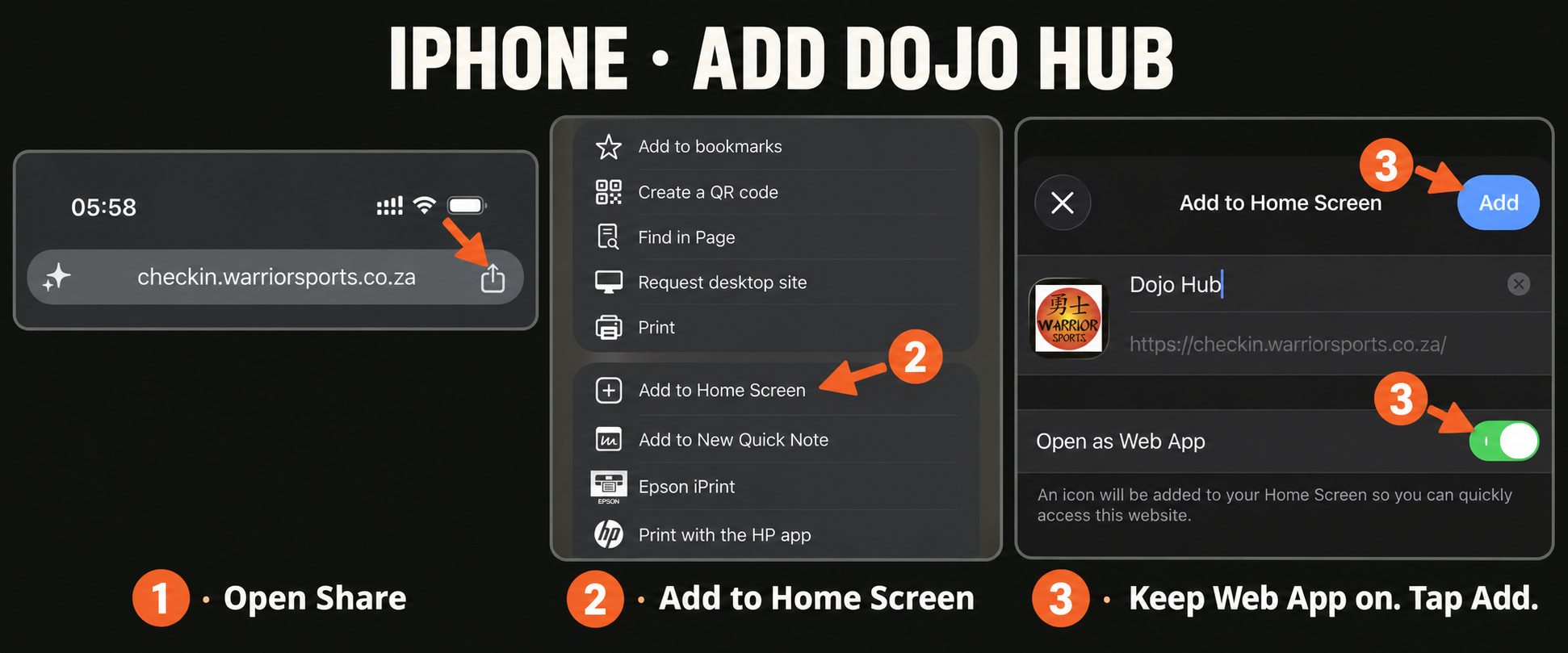
- Open Dojo Hub in your iPhone browser. The screenshots below show the Share menu; Safari also supports Add to Home Screen.
- Open the Share menu and choose Add to Home Screen.
- Keep Open as Web App switched on if shown, then tap Add. Use the new icon next time.
On Android
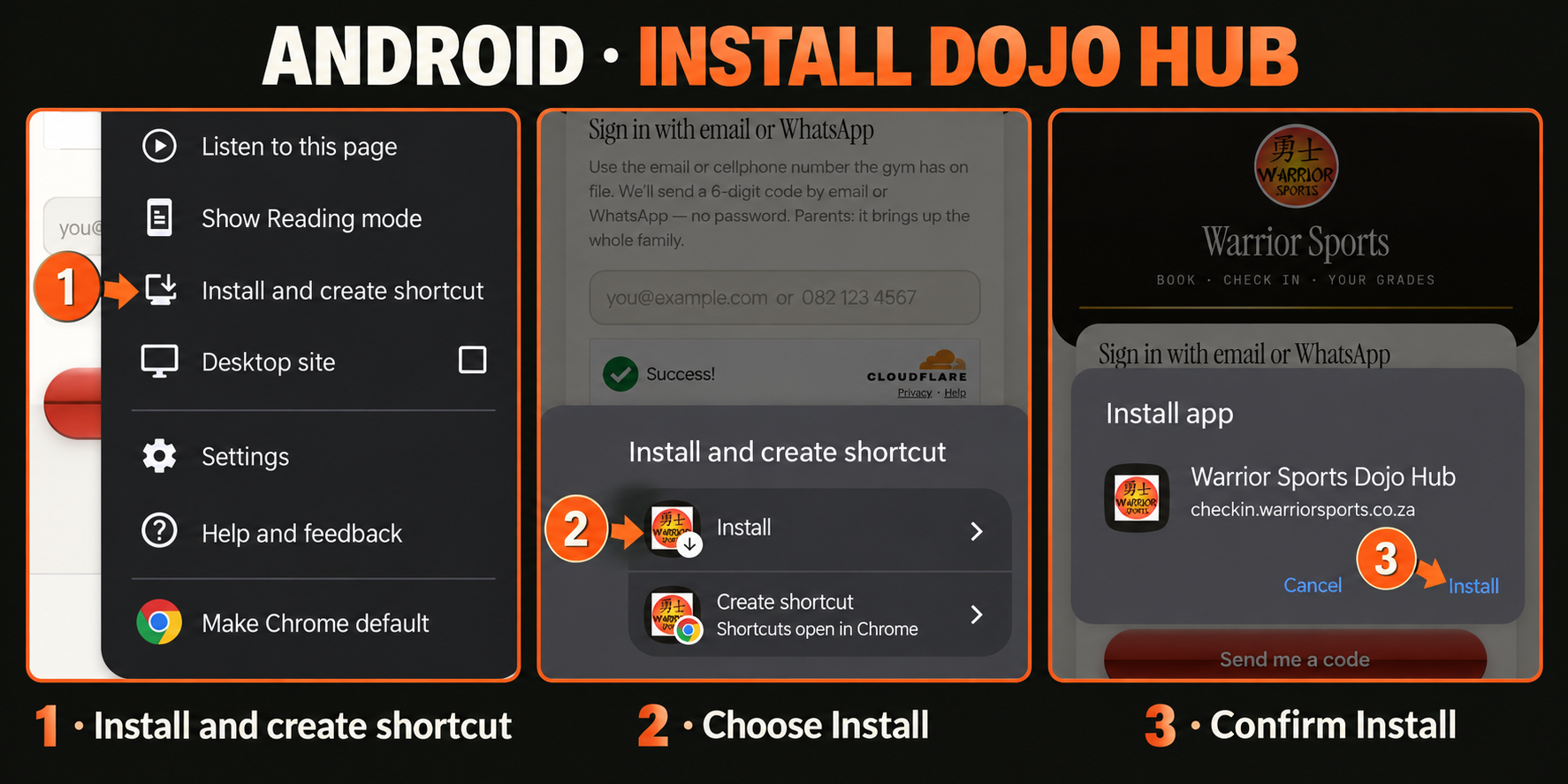
- Open Dojo Hub in Chrome.
- Open Chrome’s three-dot menu. Choose Install and create shortcut, then Install. Some versions call this Add to Home screen or Install app.
- Tap Install in the confirmation. Use the new icon to open Dojo Hub.
You can always use the browser link if the installation option is not shown. Browser wording can vary by device. See Apple’s iPhone instructions or Google’s Android instructions for your device.
07 / KEEP GOING
FOUND YOUR CLASS?
MAKE IT YOUR ROUTINE.
If you already have a trial profile, sign in and choose Sign up or Sign up as a member in the app. The guardian completes the household membership, chooses the package and reads the current rates and terms.
New members joining directly can use the membership entry below. Existing members should keep using their current login.
08 / WE’RE HERE
STUCK?
ASK RECEPTION.
Wrong contact details, a missing family member, trouble booking or no check-in button? We can help.
Guide updated with Warrior Sports’ arrival, trial and check-in instructions and supplied phone screenshots on 15 September 2026. Features shown depend on your membership and selected family member.